Accessing Services on Alternate Domains
Use a connection string parameter to access services on alternate domains. ODBC typically connects to a default domain, but you can specify a value for the connection string parameter ConnectDomain on a connection object to view alternate domains on a connection object basis.
Changing Domains using the ODBC Property Sheet
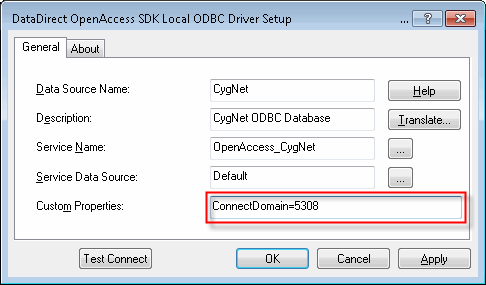
You can use ConnectDomain in the Custom Properties field of the ODBC property sheet to change domains.
|
| Sample ODBC Driver Setup |
Changing Domains Using Scripting
Example
You can use script to change domains:
|
using (DbConnection conn = new OdbcConnection("DSN=CygNet;ServiceFilter=MYSITE.FAC;ConnectDomain=5308")) { conn.Open();
[… …] } |

